Showing posts with label @itrt4lcps. Show all posts

Friday, January 20, 2017

Inauguration Day


Inauguration Day 2017

Teacher Resources 

What happens on Inauguration Day?

Discuss why how there are important quotes from our country that have come from many of the inaugural speeches (shown in the video).  Also,  why is it important that the White House is set up for the new president by the end of the day!  Great opportunities to stop and discuss! 

Check out images of past Inaugurations on the 2017 Inaugural Guide 


Kindergarten and First Grade 
Download this GREAT book from Simply Kinder
There is a great page where students draw the face of the president!
http://www.simplykinder.com/inauguration-activity/ 


Second - Fourth Grades 
Watch the Video Above

Digital Portrait of a President or Vice President
Copy your completed image to Google Classroom.

Gr. 2-4 Google Slides of Resources


Fifth Grade 
Watch the Video Above

Discovery Education Inauguration

DE: Flipping the Whitehouse
Intro and Full Video with Subscription

Grade 5 Google Slides

Thursday, October 13, 2016

Let's Build A House - Tech Friday 10/14

As our upper grades continue their Digital Citizenship Projects,
our Kindergarten and First Graders are going to
  continue their keyboarding and mouse skills.


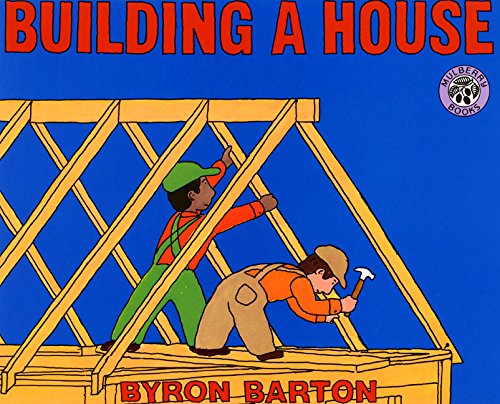
Today we will read.... Building A House  By: Byron Barton


Then we will continue our 
Keyboarding and Mouse (Touchpad) Skills 
by Building a House on ABCya


Click on Picture or
http://www.abcya.com/build_a_house.htm 
(This website requires flash)


Thursday, September 22, 2016

Digital Citizenship Fall Introduction

Students recognize the rights, responsibilities and opportunities of living, learning and working in an interconnected digital world, and they act and model in ways that are safe, legal and ethical.


Image result for hector's world episode 1

How can we keep our personal information safe online?


Each student should color 1 page to make a colorful book for the classroom!


Visit the assignment in your Google Classroom and 
Create an I Keep poster in Google Docs (docs, slides, drawings)
 I keep safe....  I keep away... I keep telling....


What can you tell your online friends and what should you keep private?

Visit the assignment in your Google Classroom to Create and Turn In

Pick ONE: 
Create a "Web Rules" poster
Illustrate a 1 pager Internet SafetyStory
Create your own cyber safety story while on SurfSwell Island

Thursday, August 18, 2016

Welcome Back Kindergarten!

We are so excited to welcome a new group of amazing Kindergartners to TES!  
For our FIRST Friday Focus class we are going to 
review Computer Care with our new cart of laptops!


Friday, April 15, 2016

Digital Canvas: Paint the Story

Focus Friday brought a new group of Kindergarteners into the Library for some touchpad/mouse skills.  Learning to navigate a mouse on a laptop can be tricky for little ones and learning to "paint" was challenging but a great success!  We cannot wait to practice our mouse skills some more next week!


I really like this version because it is animated with images 
that the kids can "paint" on ABCya.

After the Video Story students visited ABCya Paint
to create their own scene from Jack and the Beanstalk!


What fun! Check out our creations! 


Friday, March 11, 2016

Block City and Moby Max in Kindergarten


Today Kindergarten....

 ...revisits the library to day to trade colored block cards from last week and build each other's pattern and then a city!

We are reading:

Block City by Robert Louisa Stevens
Read the Poem ...but we encourage you to buy the book!

Check out this blogger mom for a cool block mural idea!


If you do not have the book yet...the video below is a great replacement!


Also students will be visiting their Classroom Moby Max site 
set up by their rockstar teacher, Mrs. Jenkins!


Friday, March 4, 2016

I LOVE TO COLOR

Today Students Will....
  • COMPARE
  • COLOR
  • CREATE

Do you remember the Sesame Street Episode about crayons?  Circa 1980?  It was a personal favorite! Mr. Rodger's Neighborhood visited a Crayola Factory in 1981 in the video below and then Crayola launched an updated video below.

1.   Read:    A Day With No Crayons by: Elizabeth Rusch

2.   View and Compare:  THEN and NOW.

Crayola Factory .....THEN


Crayola Factory....NOW


3.  CREATE a PATTERN:  Using these Free Duplo Pattern Template Coloring Sheets


4.  BUILD  their pattern, or a partners, using the blocks provided.


Thursday, February 25, 2016

Dr. Seuss Goes Digital!

We are excited to prepare to celebrate 
Read Across America and Dr. Seuss Day 2016!
  

K-2 will explore http://www.seussville.com/   (requires flash - takes long to load but worth it if you can get it to load)


 3-5 will visit their Google Classroom Space to 


Pick a quote from quotesgram.com on the left.

What does this quote mean to you and how does it inspire you or others? 

Students will explain in a Google Doc or Slide created in Google Classroom and submit to their teacher.  


Friday, February 12, 2016

Unplugged Friday

What do you do when all of your computer carts are signed out?  You unplug and become Lego Engineers!  


First we learned about the history of  Lego with this video...

This is a GREAT video but at 10:10 MUTE IT...a character says "damn"....
totally confused why this would be in a kids video!!  


Thanks to a FREE printable from Lalymom's Blog each K-3 student got a Challenge Card.   The file even comes with blank cards to so inspiring engineers can create their own challenge for a classmate!


Build Something With A C.....these girls built a College!!!


Watch the magic when kids get to CREATE at school!  


When Kindergarten came in we skipped the long Lego History 
above and discussed the Power of Yet!  

Trying something new means you might not get it on the first try.  
This video was a great kick off for a new challenge! 


Monday, January 11, 2016

Focus Friday in the Media Center

One of my favorite things to do is co-teach!  Our Media Specialist, Mrs. Chaney, offers this opportunity as often as possible!  Getting right back into the groove of things in 2016 the first Focus Friday in the Media Center brought digital learning FUN!!


Mrs. Chaney read aloud to Kindergarten and First Grade students about seasonal weather and dress before students practices their VA Technology SOLs using laptops to practice using the touchpad, mouse, and drag and drop skills during a Dress for Winter or Winter Animals interactive screen.   (find the links on our Special Events Page)


Order Me on Scholastic

Students in 4th and 5th grade were inspired by poetry by Jack Prelutsky and then created their own Winter Poems using a Winter Magnetic Poetry lesson created by Kasey Bell of ShakeUpLearning.com.  

Mrs. Chaney saved a copy of this file and passed it out to students through Google Classroom so each student had their own file.  Stay tuned for a finished product slide show of our poems! 
Winter Magnetic Poetry in Google Slides!

Google Classroom...Google Slides...First Grade


The first grade team continued introducing their students to digital learning when they typed letters to Santa in a Google Slides template "passed out" through Google Classroom.


Students logged-in to laptop computers as well as iPads using the Google Classroom and Google Slides Apps.


Our wish is to one day be 1:1 with iPads so students can personalize the use of the apps and not have to log-in and log-out of their learning resources.

 In the meantime, they are rocking their Virginia Technology  SOLs and truely participating in 21st Century Learning!


Tuesday, November 24, 2015

Thanksgiving Word Clouds by First Graders

Hats off to the awesome First Grade Team of teachers for introducing their students to Google Classroom!  Using this digital interface, students were able to login to one place to receive and turn in  assignments.

Teachers "passed out" the link to ABCya's Word Cloud in an Assignment Post.  Students
1. OPENED the link
2. TYPED in Thanksgiving words
3. CREATED the word cloud by clicking the "play button"
4. SAVED their word cloud as a jpeg to the desktop
5. UPLOADED their jpeg file to their assigment in Google Classroom
6. Turned In their work

No Paper....All Digital....Yes they are First Graders....Yes they are 6 years old!!!

#digitalnatives  #learningin2015 #makeithappenTES


We Did It!!

Google Slideshows of student word clouds turned-in to teachers are in the works! 
Stay Tuned! Great Job 1st Grade!!

Monday, November 16, 2015

First Grade Goes Google!

It's so easy...even a 1st grader can do it!!

When the TES team of First Grade teachers go together on the Staff Development day earlier this month, they explored the Virginia SOLs for Computer Technology an began developing lessons which incorporated these skills important to our digital natives!  Students have to type a rather long username which is no small feat for first graders, but it will stick with them through their senior year at LCHS!  

The First Grade team of teachers are also utilizing Google Classroom as a way for students to complete assignements and submit created digital work.  Our first big project is creating a Thanksgiving Wordle coming up next week :) 

Way to #makeithappenTES first grade team!!


Tuesday, September 1, 2015

TES Google Classrooms

Way to go Mrs. Chaney:  Spotlight Media Specialist

for using Google Classroom!


For the first time this year students logged-in to their LCPS Student Google Accounts (*note email is turned OFF for elementary students) and accessed a PAPERLESS online classroom platform where an assignment was waiting for them from Mrs. Chaney.

  Students then used Google Docs and Google Drawing to create original bookmarks using a template "passed out" to each student by Mrs. Chaney through the Google Classroom she created for each class.  This is all in part to Mrs. Chaney adding 21st Century Learning to Flex Friday Resource Rotations.  We cannot wait to stop by the library and select a bookmark made by one of our own TES students!!


Want to learn more about Google Classroom?  Watch this video!